> ## Documentation Index
> Fetch the complete documentation index at: https://docs.0x0.exchange/llms.txt
> Use this file to discover all available pages before exploring further.
# Receive Assets
> How to receive assets in Arcane Wallet
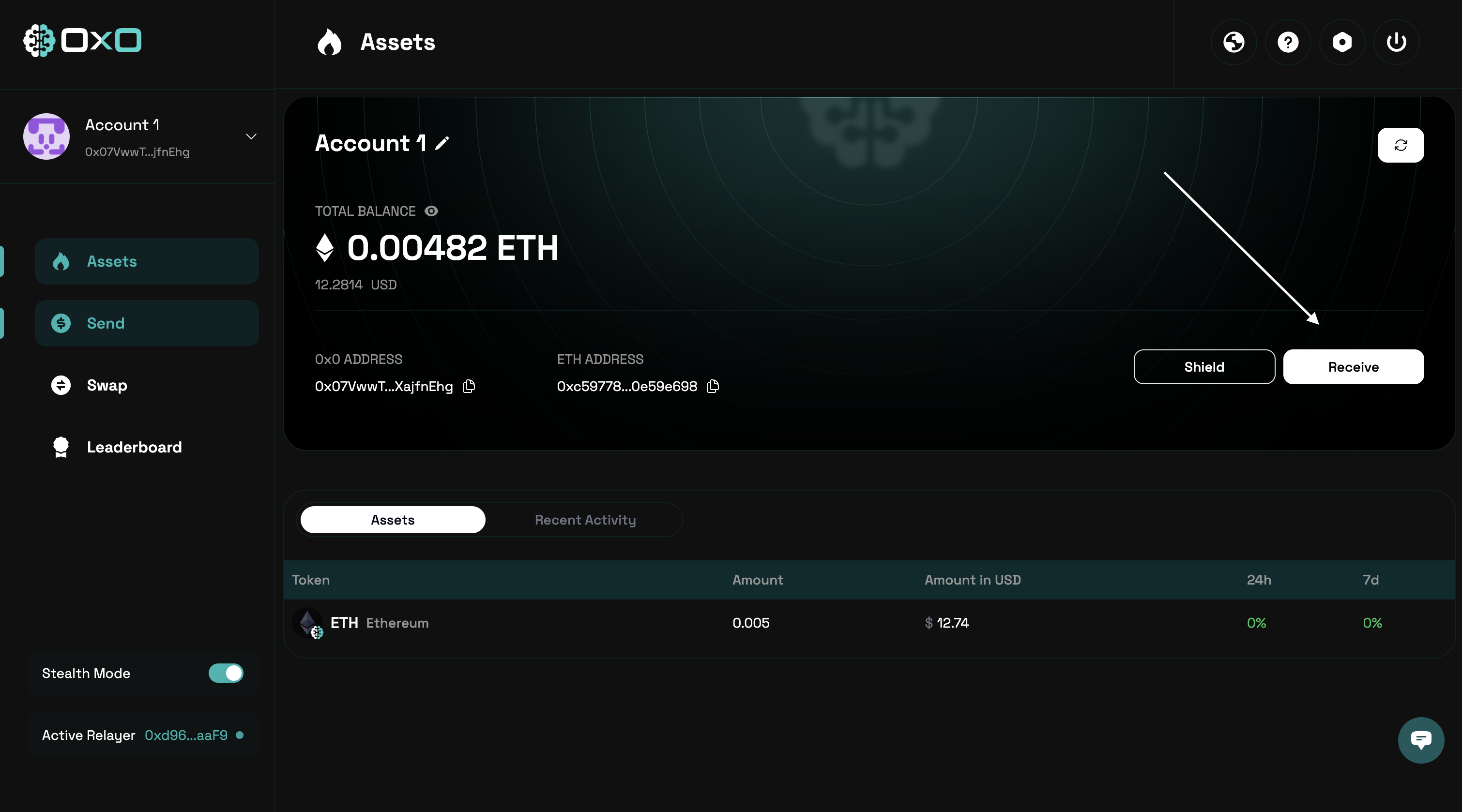
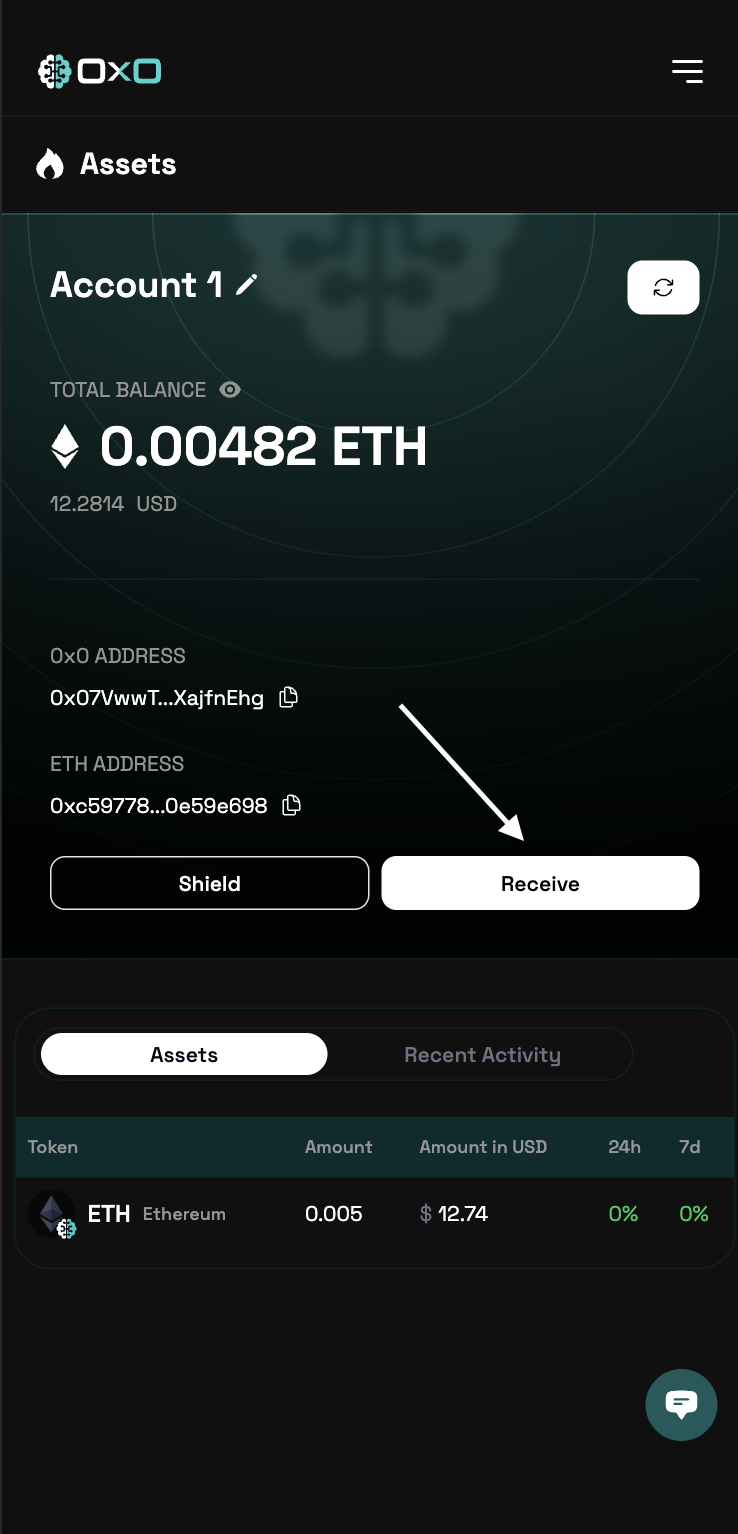
Navigate to the [Arcane Wallet](https://arcane.0x0.exchange) and click on the **Receive** button.
 ## Receive Public Assets
To receive public assets, you can use the `Receive` button in the top right corner of the Arcane Wallet.
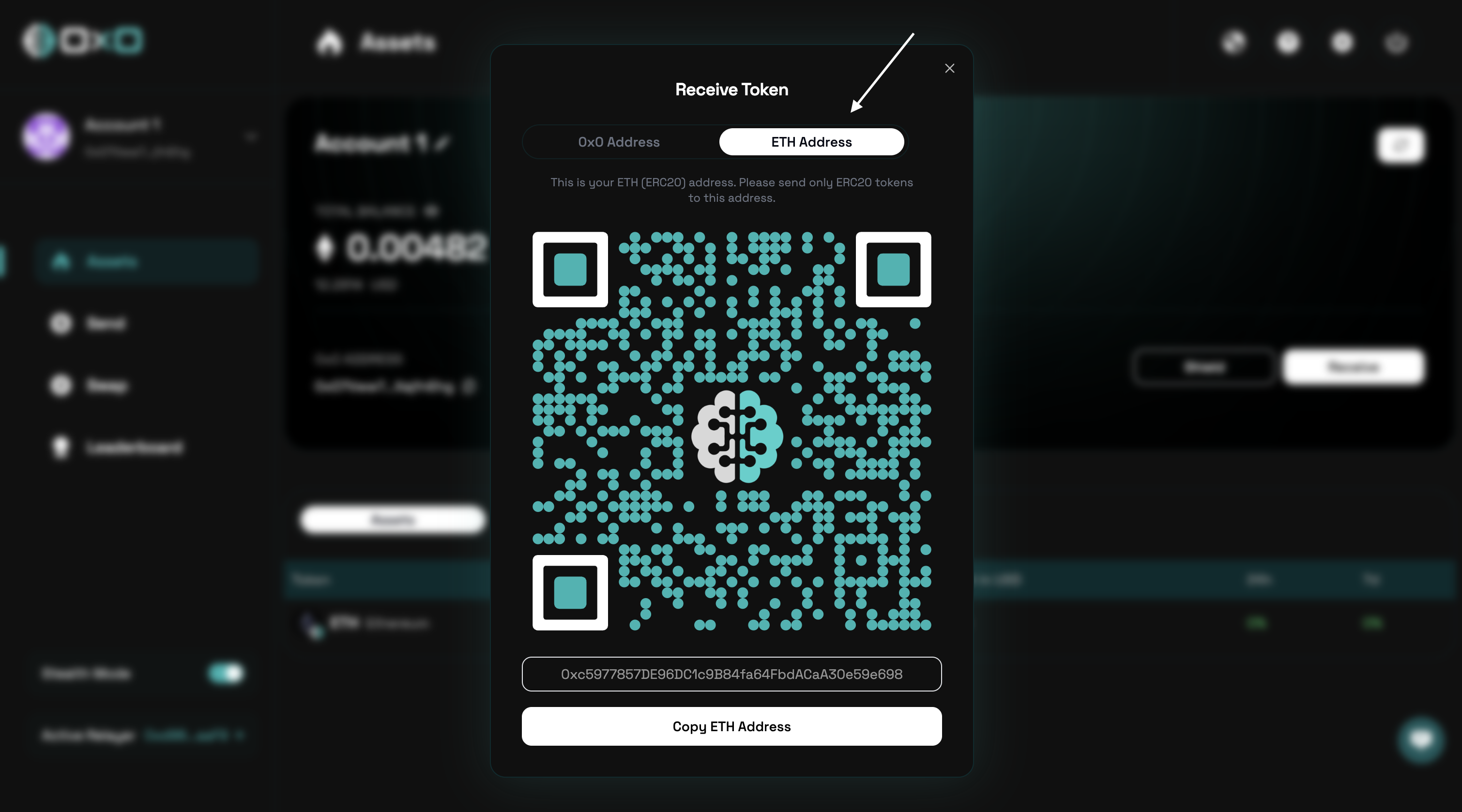
Switch to the `ETH Address` tab and copy the address.
## Receive Public Assets
To receive public assets, you can use the `Receive` button in the top right corner of the Arcane Wallet.
Switch to the `ETH Address` tab and copy the address.
 ## Receive Shielded Assets
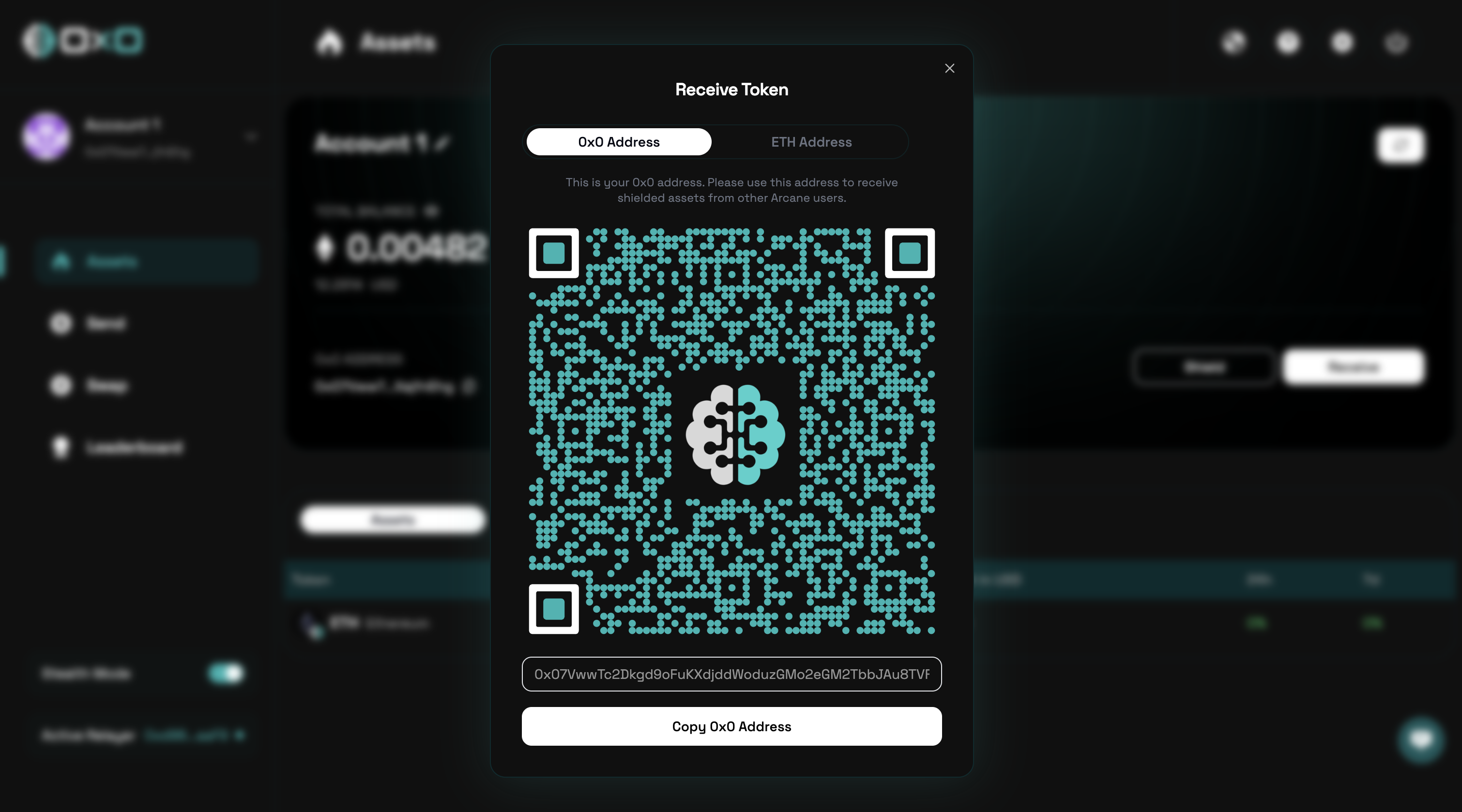
To receive shielded assets, you can use the `Receive` button in the top right corner of the Arcane Wallet.
Switch to the `0x0 Address` tab and copy the address.
## Receive Shielded Assets
To receive shielded assets, you can use the `Receive` button in the top right corner of the Arcane Wallet.
Switch to the `0x0 Address` tab and copy the address.