> ## Documentation Index
> Fetch the complete documentation index at: https://docs.0x0.exchange/llms.txt
> Use this file to discover all available pages before exploring further.

# Send Shielded Assets

> Learn how to send your assets privately with Arcane Wallet

Transacting with shielded assets is as simple and intuitive as sending public ones.

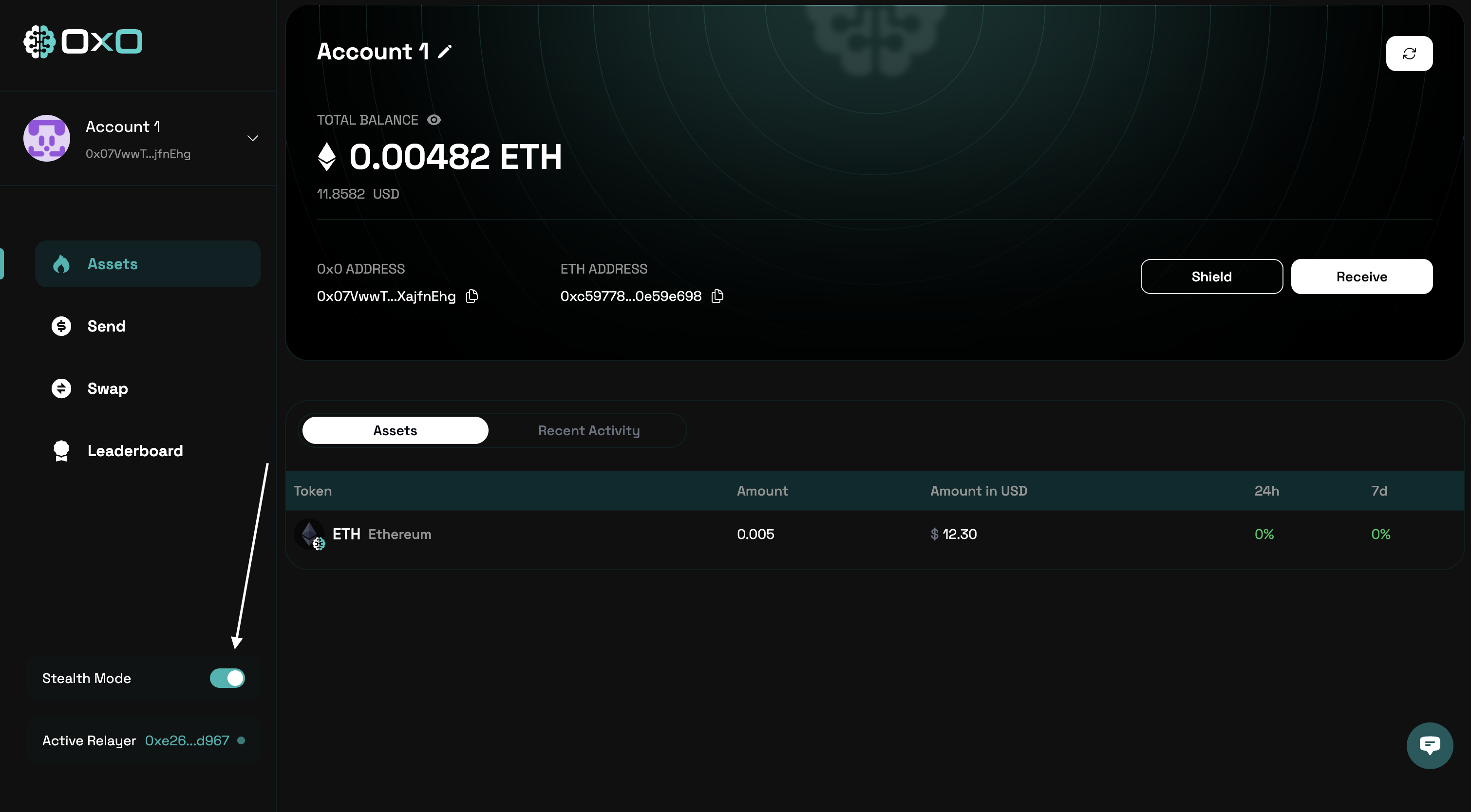
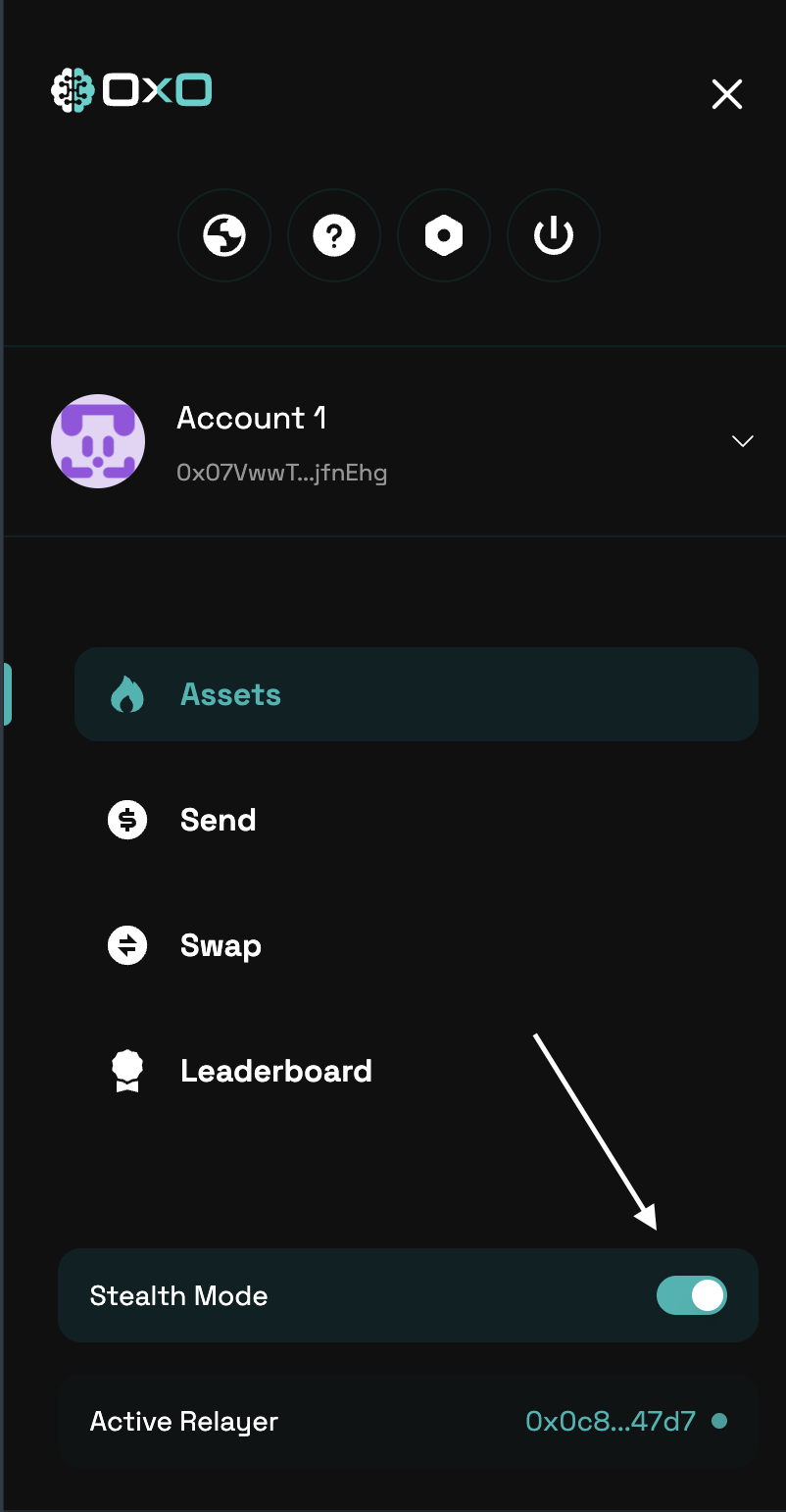
1. Navigate to the [Arcane Wallet](https://arcane.0x0.exchange) and ensure that [Stealth Mode](/arcane/overview#stealth-mode) is enabled
<Tabs>
  <Tab title="Desktop">
    <img className="block" src="https://mintcdn.com/0x0/7e_lgHxFKj1ZerJ_/images/arcane/send-private/stealth.png?fit=max&auto=format&n=7e_lgHxFKj1ZerJ_&q=85&s=fffc657493344830226e6cc574907964" alt="Send Assets Example" width="3020" height="1668" data-path="images/arcane/send-private/stealth.png" />
  </Tab>

  <Tab title="Mobile">
    <img className="block max-h-[400px]" src="https://mintcdn.com/0x0/7e_lgHxFKj1ZerJ_/images/arcane/send-private/stealth-mobile.png?fit=max&auto=format&n=7e_lgHxFKj1ZerJ_&q=85&s=57c9ffe4f4f482265116bd0daa05350a" alt="Send Assets Example" width="802" height="1542" data-path="images/arcane/send-private/stealth-mobile.png" />
  </Tab>
</Tabs>

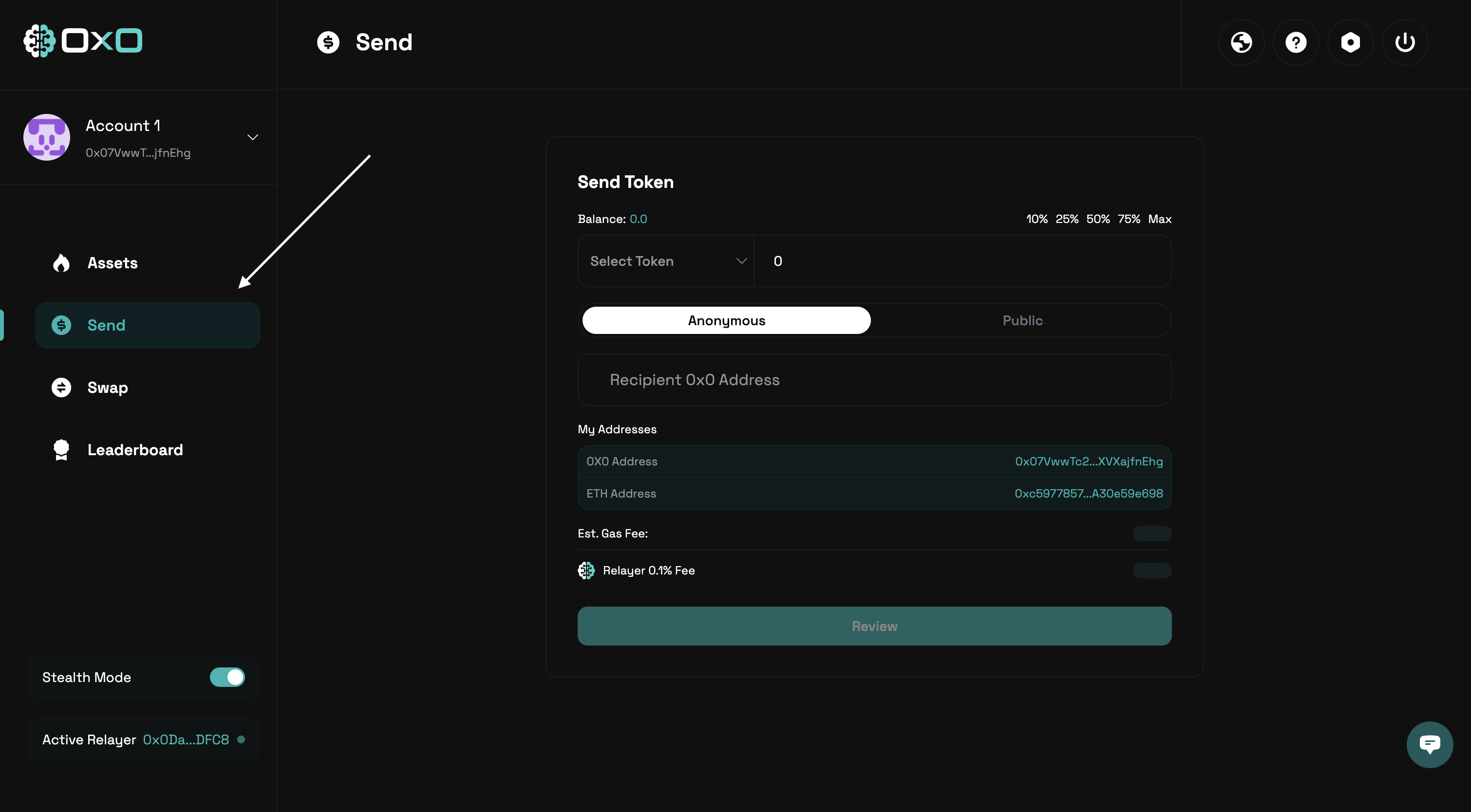
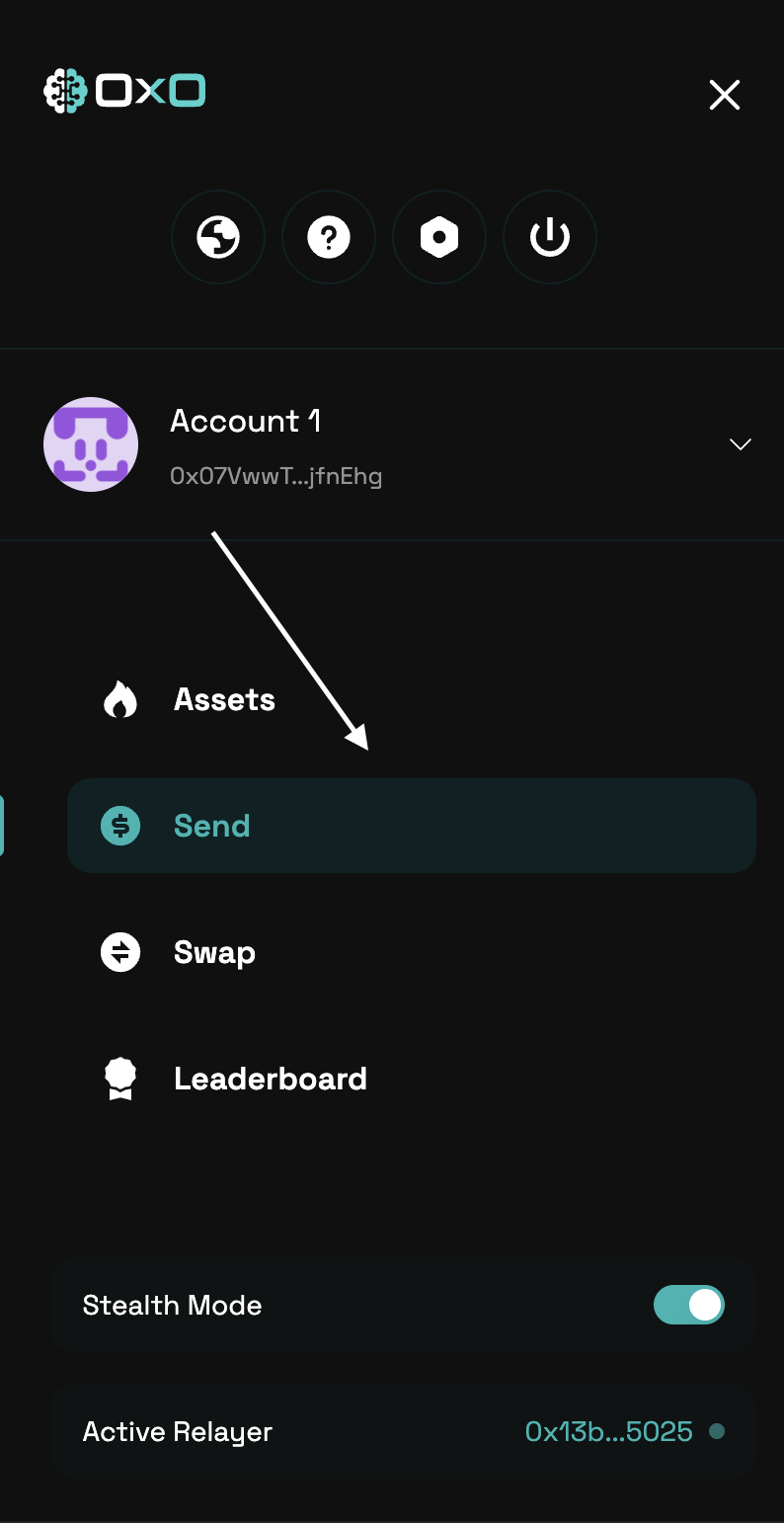
2. Navigate to the ‘Send’ tab.

<Tabs>
  <Tab title="Desktop">
    <img className="block" src="https://mintcdn.com/0x0/7e_lgHxFKj1ZerJ_/images/arcane/send-private/send-tab.png?fit=max&auto=format&n=7e_lgHxFKj1ZerJ_&q=85&s=69e8eeb555bd78050ce850941a0565fe" alt="Send Assets Example" width="3020" height="1668" data-path="images/arcane/send-private/send-tab.png" />
  </Tab>

  <Tab title="Mobile">
    <img className="block max-h-[400px]" src="https://mintcdn.com/0x0/7e_lgHxFKj1ZerJ_/images/arcane/send-private/send-tab-mobile.png?fit=max&auto=format&n=7e_lgHxFKj1ZerJ_&q=85&s=dfef106d54bf3b19651f86e931b8a96b" alt="Send Assets Example" width="794" height="1542" data-path="images/arcane/send-private/send-tab-mobile.png" />
  </Tab>
</Tabs>

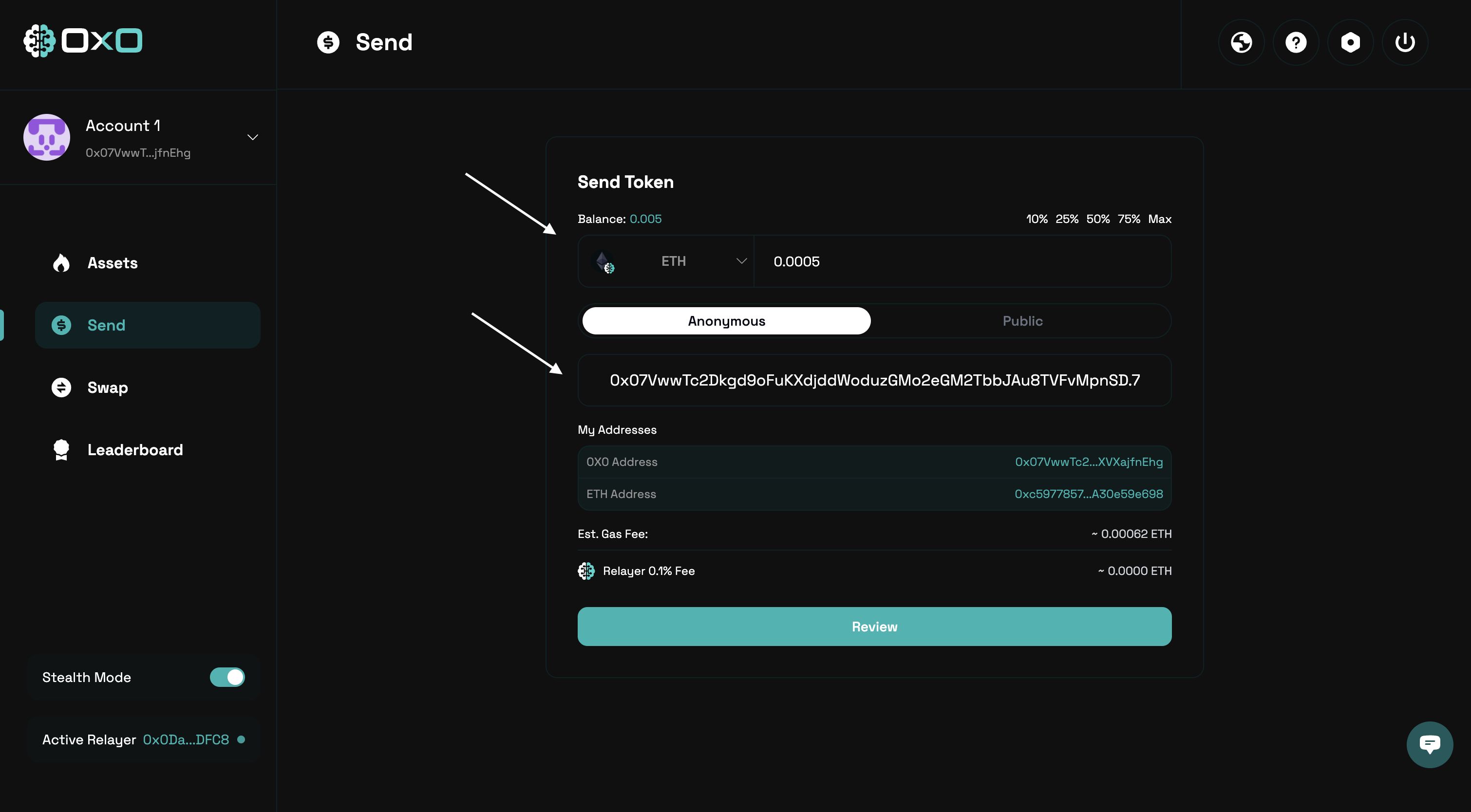
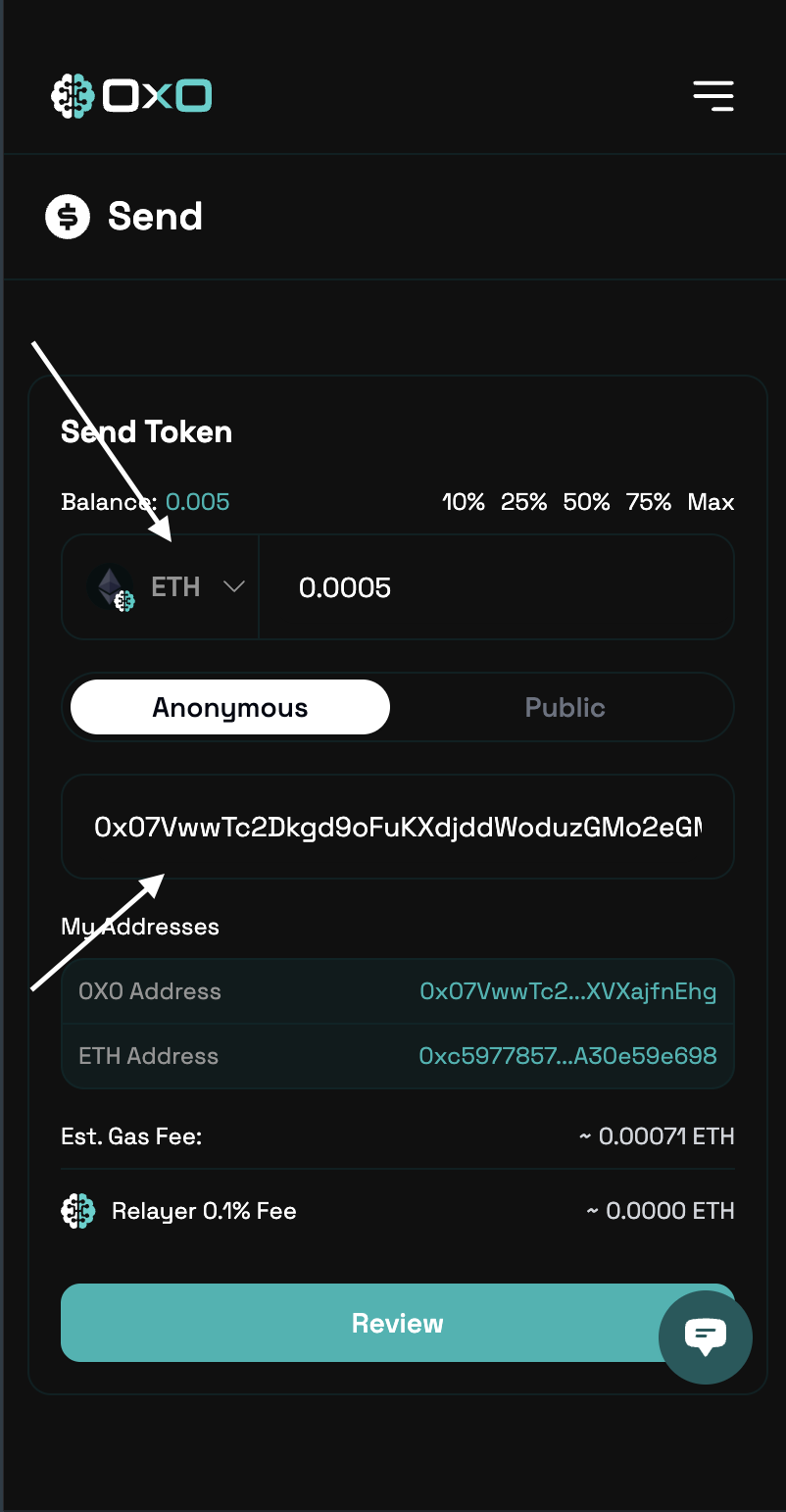
3. Select the token you wish to send, specify the amount, and enter the recipient’s [**0x0 address**](/arcane/overview#0x0-address-stealth-address)
<Tabs>
  <Tab title="Desktop">
    <img className="block" src="https://mintcdn.com/0x0/7e_lgHxFKj1ZerJ_/images/arcane/send-private/inputs.png?fit=max&auto=format&n=7e_lgHxFKj1ZerJ_&q=85&s=6803a5822f0a75ff7b1bb328d3d57bdc" alt="Send Assets Example" width="3020" height="1668" data-path="images/arcane/send-private/inputs.png" />
  </Tab>

  <Tab title="Mobile">
    <img className="block max-h-[400px]" src="https://mintcdn.com/0x0/7e_lgHxFKj1ZerJ_/images/arcane/send-private/inputs-mobile.png?fit=max&auto=format&n=7e_lgHxFKj1ZerJ_&q=85&s=0f4acce6600aa80b8908011b12fc91d7" alt="Send Assets Example" width="802" height="1542" data-path="images/arcane/send-private/inputs-mobile.png" />
  </Tab>
</Tabs>

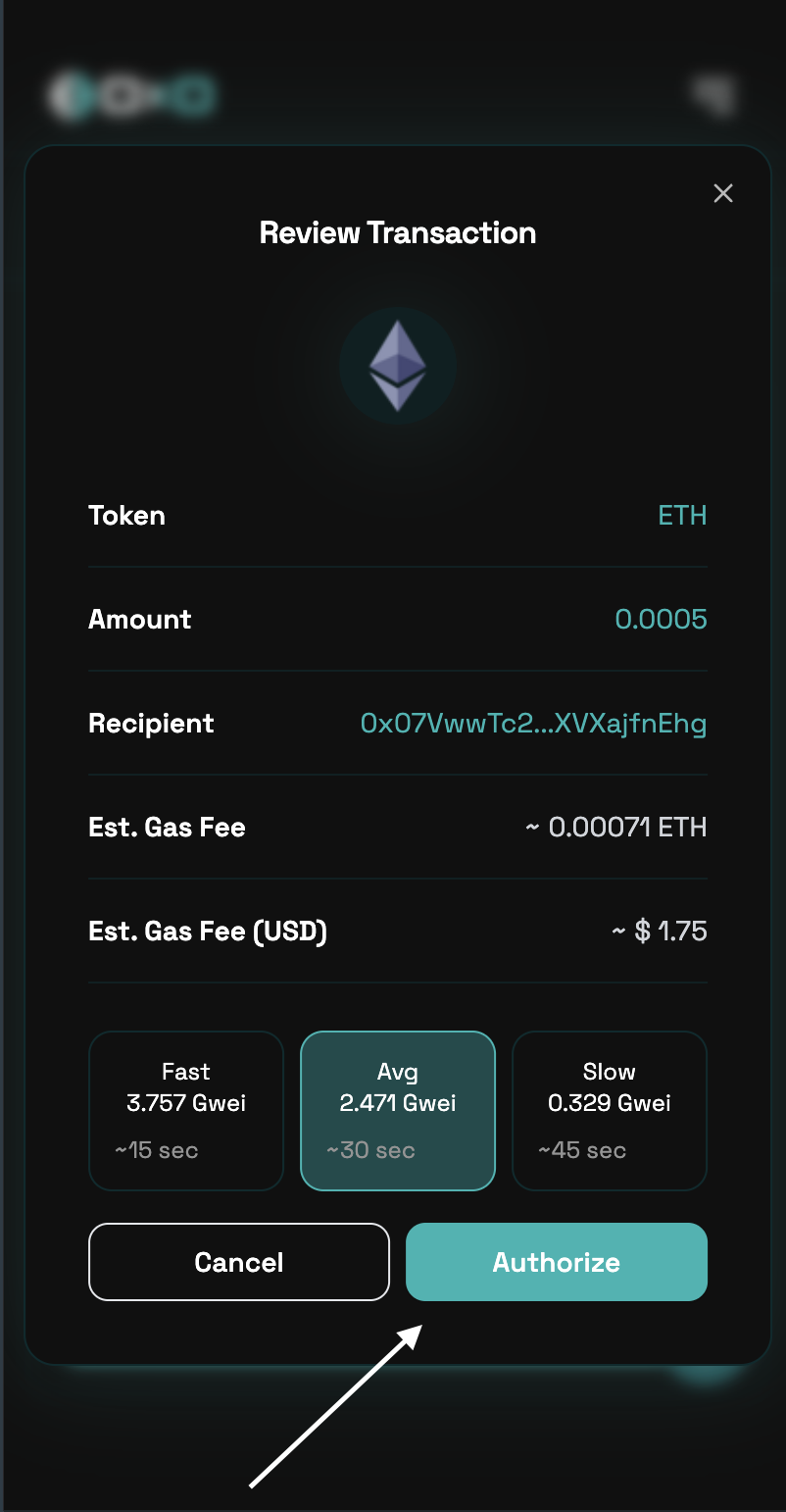
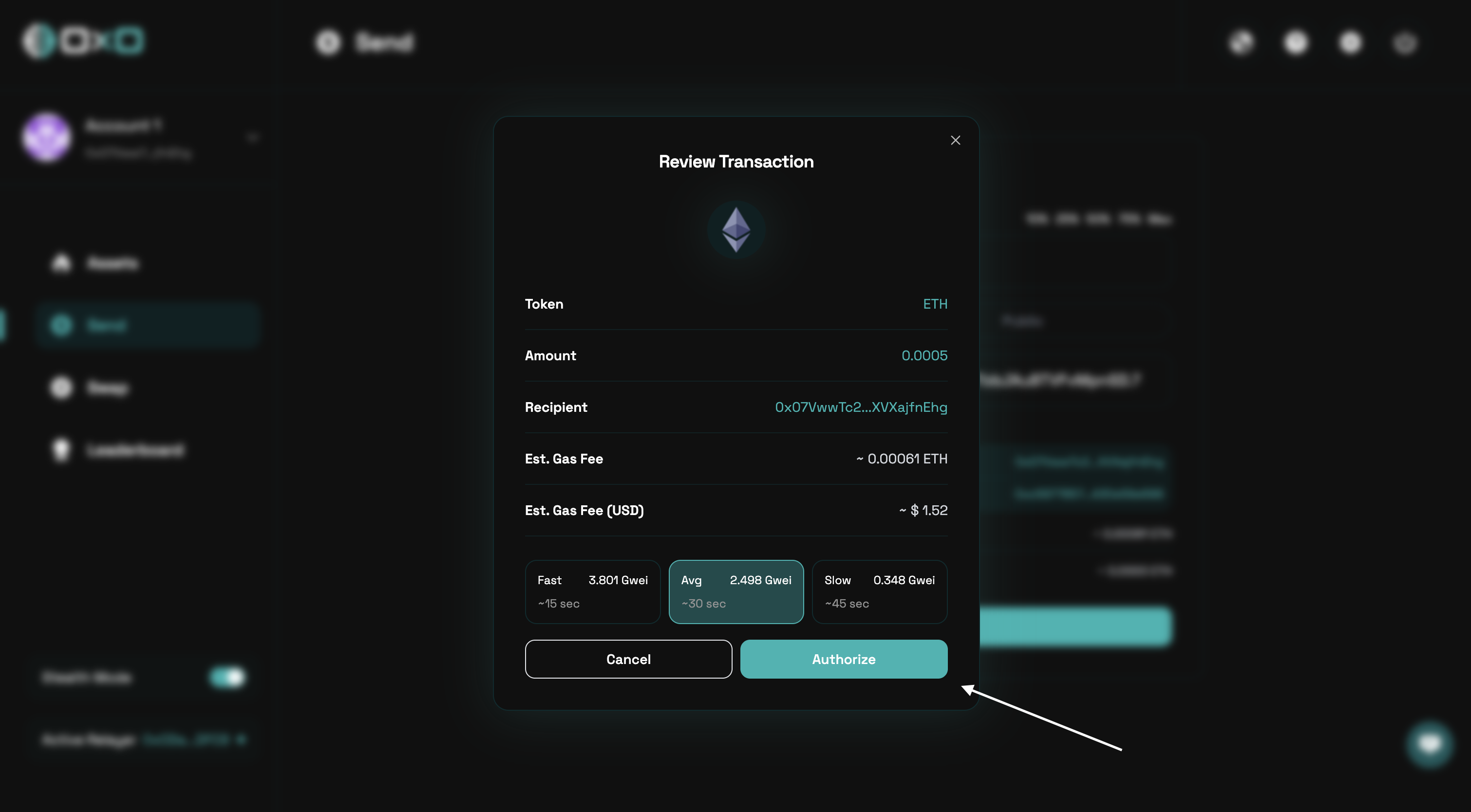
4. Review the transaction details carefully, then authorize to proceed.
<Tabs>
  <Tab title="Desktop">
    <img className="block" src="https://mintcdn.com/0x0/7e_lgHxFKj1ZerJ_/images/arcane/send-private/authorize.png?fit=max&auto=format&n=7e_lgHxFKj1ZerJ_&q=85&s=39422ab3003fd9a8deec219560929aab" alt="Send Assets Example" width="3020" height="1668" data-path="images/arcane/send-private/authorize.png" />
  </Tab>

  <Tab title="Mobile">
    <img className="block max-h-[400px]" src="https://mintcdn.com/0x0/7e_lgHxFKj1ZerJ_/images/arcane/send-private/authorize-mobile.png?fit=max&auto=format&n=7e_lgHxFKj1ZerJ_&q=85&s=b530b5c4e8aa100a96f68a16f7f13c43" alt="Send Assets Example" width="802" height="1542" data-path="images/arcane/send-private/authorize-mobile.png" />
  </Tab>
</Tabs>