> ## Documentation Index
> Fetch the complete documentation index at: https://docs.0x0.exchange/llms.txt
> Use this file to discover all available pages before exploring further.

# Swap Assets

> Learn how to swap your assets with Arcane Wallet

Only shielded assets can be swapped, and it's important to note that swaps are executed via an external exchange (currently Uniswap). However, the assets you receive from the swap will arrive as shielded assets, preserving your privacy.

## Swap

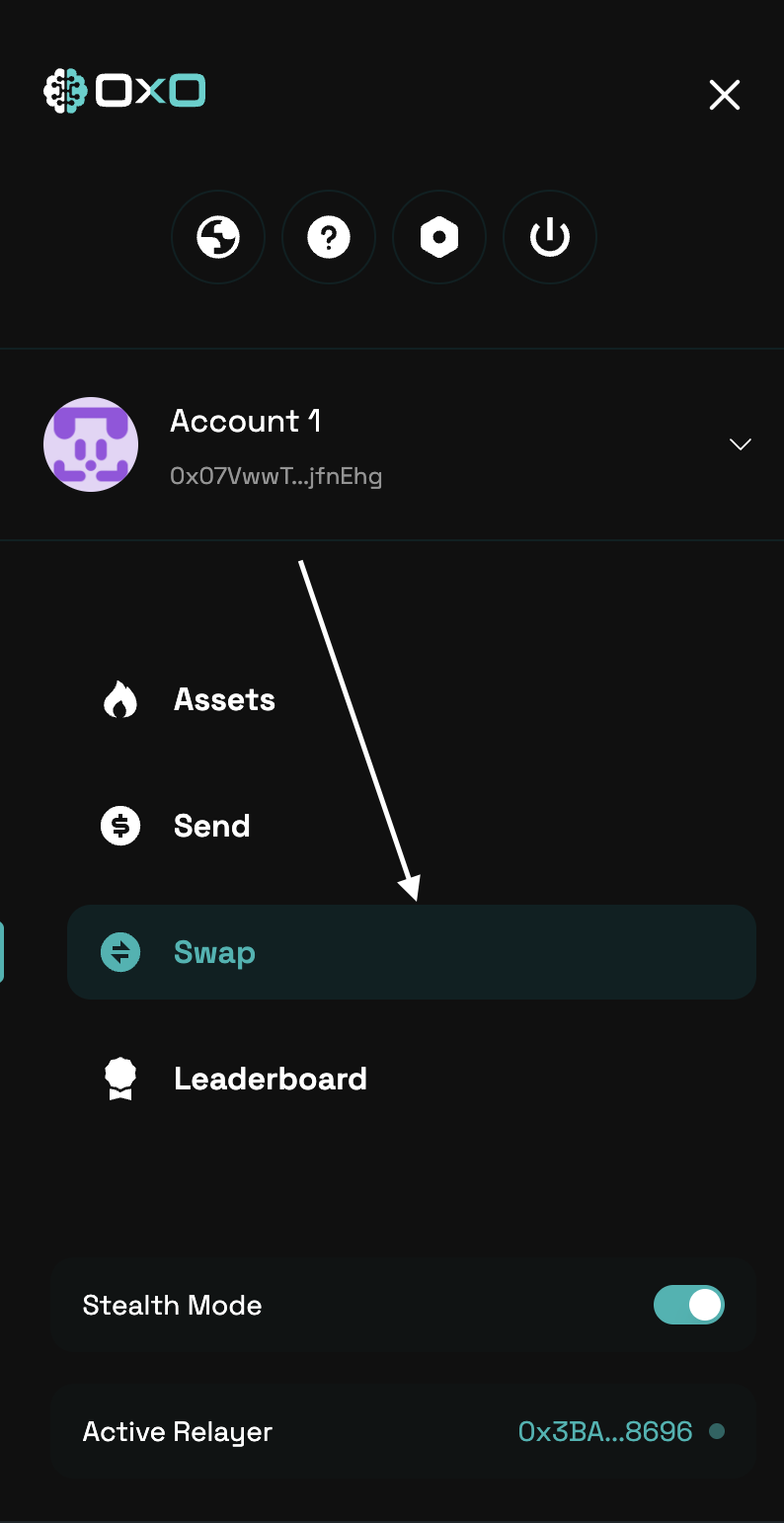
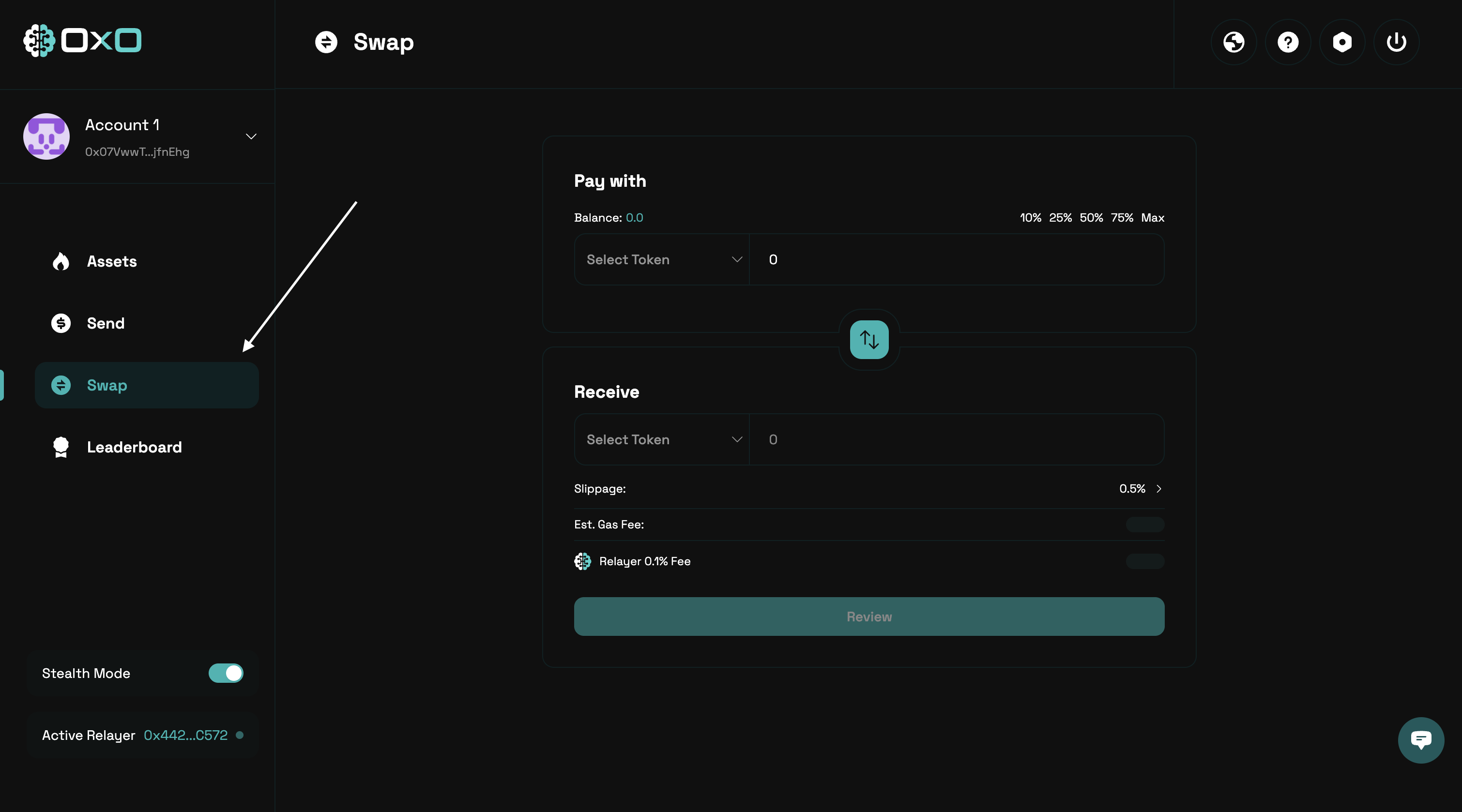
1. Navigate to the [Arcane Wallet](https://arcane.0x0.exchange) and go to the ‘Swap’ tab.
<Tabs>
  <Tab title="Desktop">
    <img className="block" src="https://mintcdn.com/0x0/tl6s_Iw1Jdhy2Jw7/images/arcane/swap/tab.png?fit=max&auto=format&n=tl6s_Iw1Jdhy2Jw7&q=85&s=07807934ec8d3c35f14a992955914440" alt="Swap Assets Example" width="3020" height="1678" data-path="images/arcane/swap/tab.png" />
  </Tab>

  <Tab title="Mobile">
    <img className="block max-h-[400px]" src="https://mintcdn.com/0x0/tl6s_Iw1Jdhy2Jw7/images/arcane/swap/tab-mobile.png?fit=max&auto=format&n=tl6s_Iw1Jdhy2Jw7&q=85&s=2b9e45e905618537ac9f8a7306448158" alt="Swap Assets Example" width="794" height="1542" data-path="images/arcane/swap/tab-mobile.png" />
  </Tab>
</Tabs>

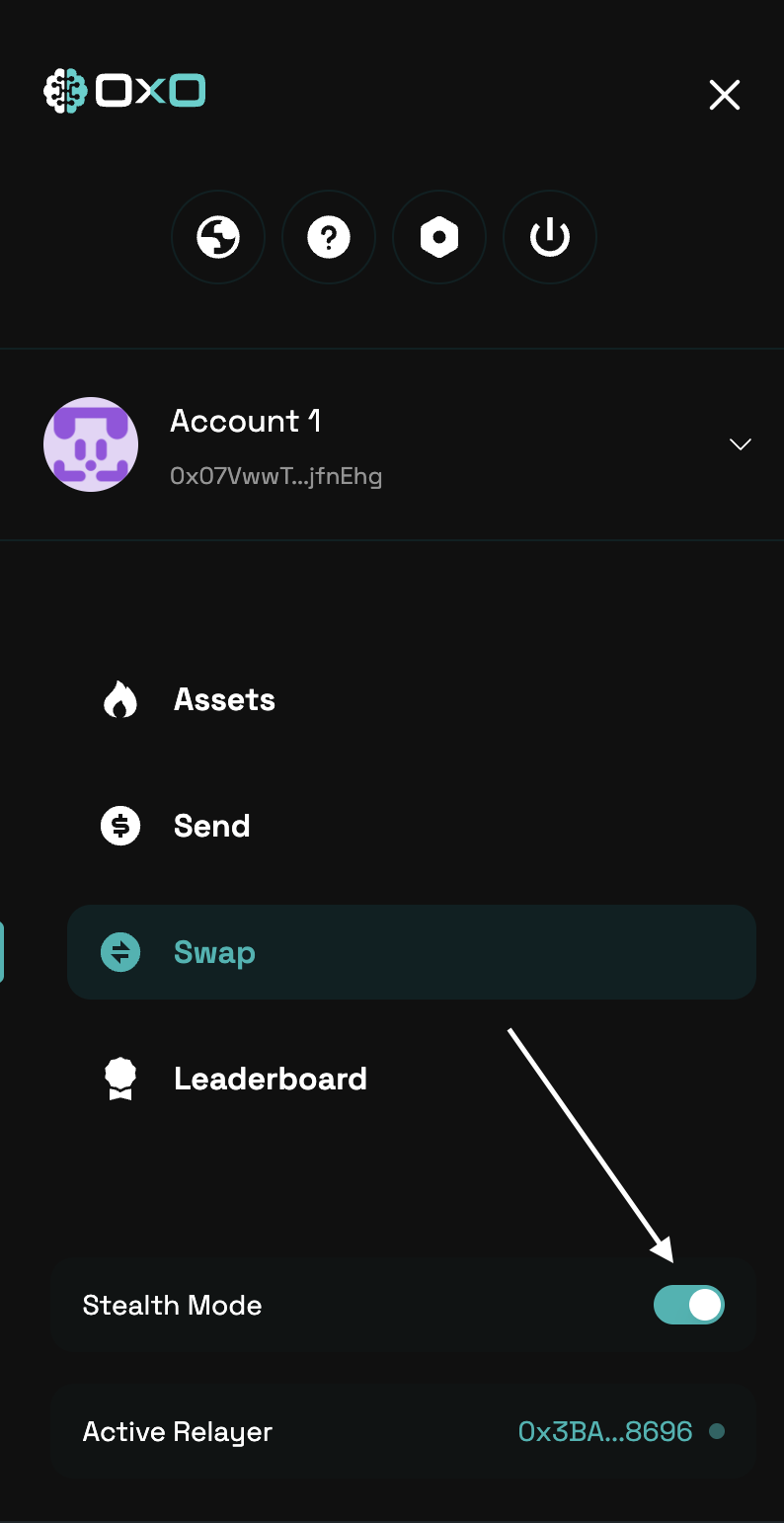
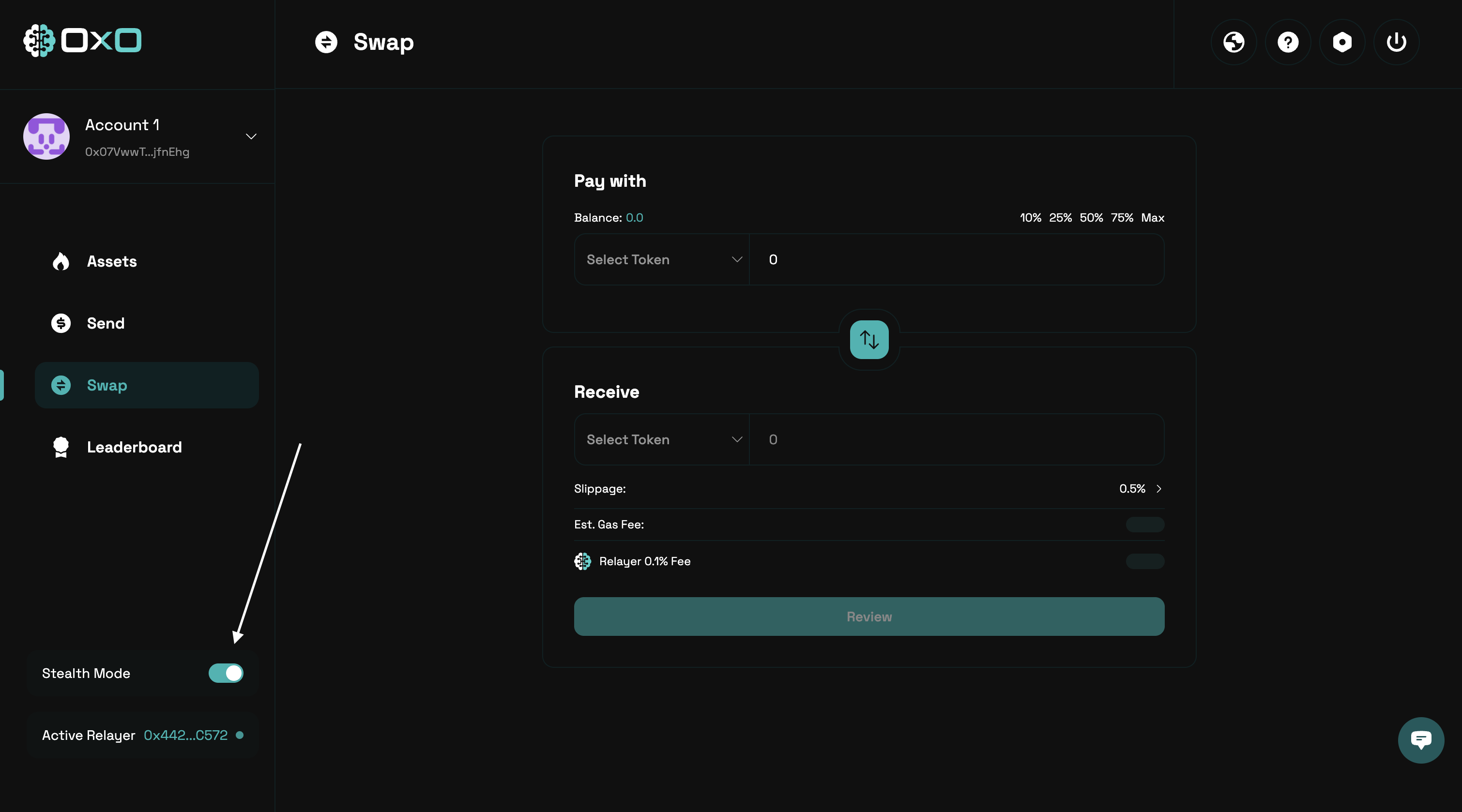
2. Ensure that [Stealth Mode](/arcane/overview#stealth-mode) is enabled before proceeding.
<Tabs>
  <Tab title="Desktop">
    <img className="block" src="https://mintcdn.com/0x0/tl6s_Iw1Jdhy2Jw7/images/arcane/swap/stealth.png?fit=max&auto=format&n=tl6s_Iw1Jdhy2Jw7&q=85&s=50b9cbbad52dd73568bc764f4dd42947" alt="Swap Assets Example" width="3020" height="1678" data-path="images/arcane/swap/stealth.png" />
  </Tab>

  <Tab title="Mobile">
    <img className="block max-h-[400px]" src="https://mintcdn.com/0x0/tl6s_Iw1Jdhy2Jw7/images/arcane/swap/stealth-mobile.png?fit=max&auto=format&n=tl6s_Iw1Jdhy2Jw7&q=85&s=21acfbaee211ab4848701a3abdf358bb" alt="Swap Assets Example" width="794" height="1542" data-path="images/arcane/swap/stealth-mobile.png" />
  </Tab>
</Tabs>

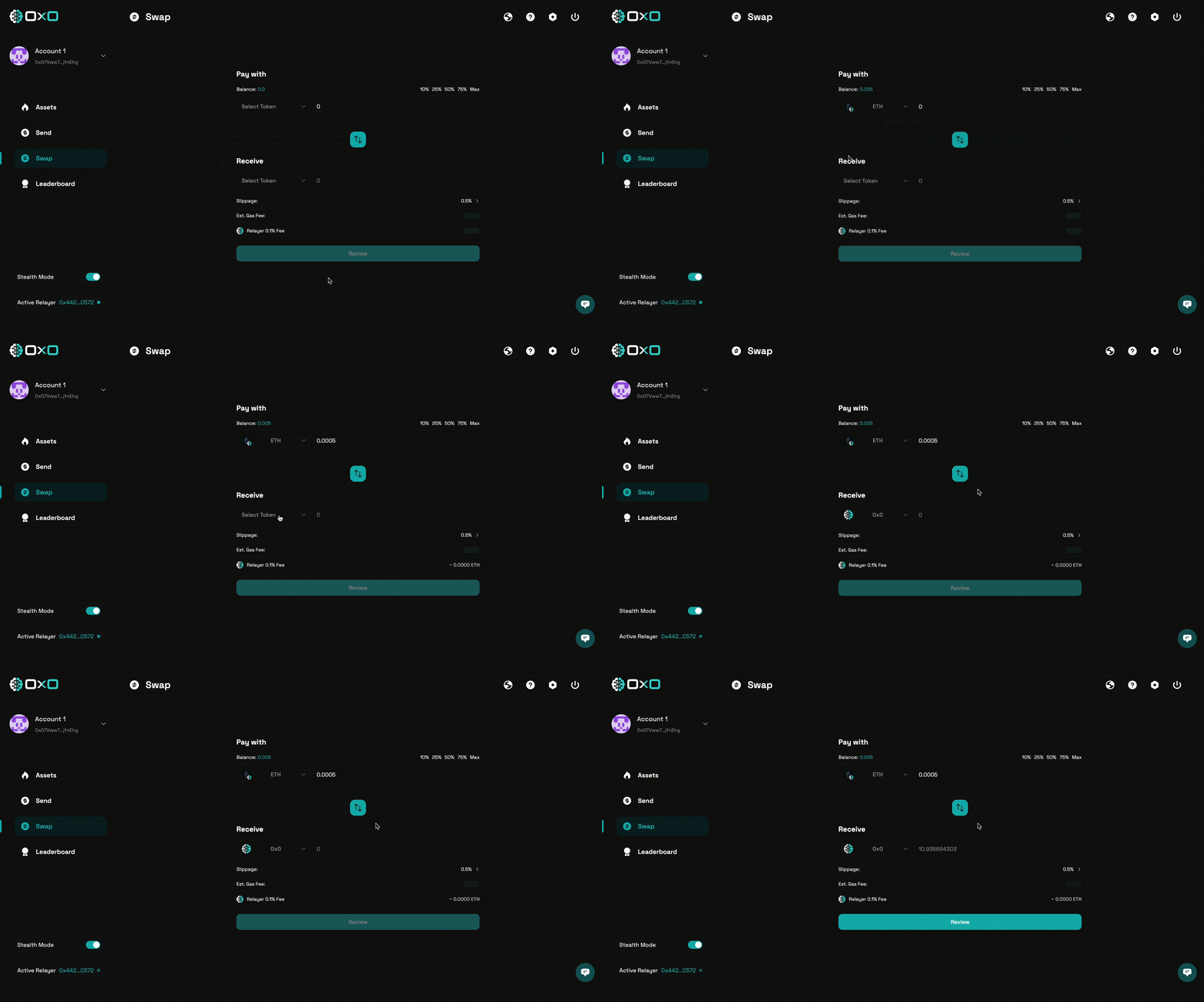
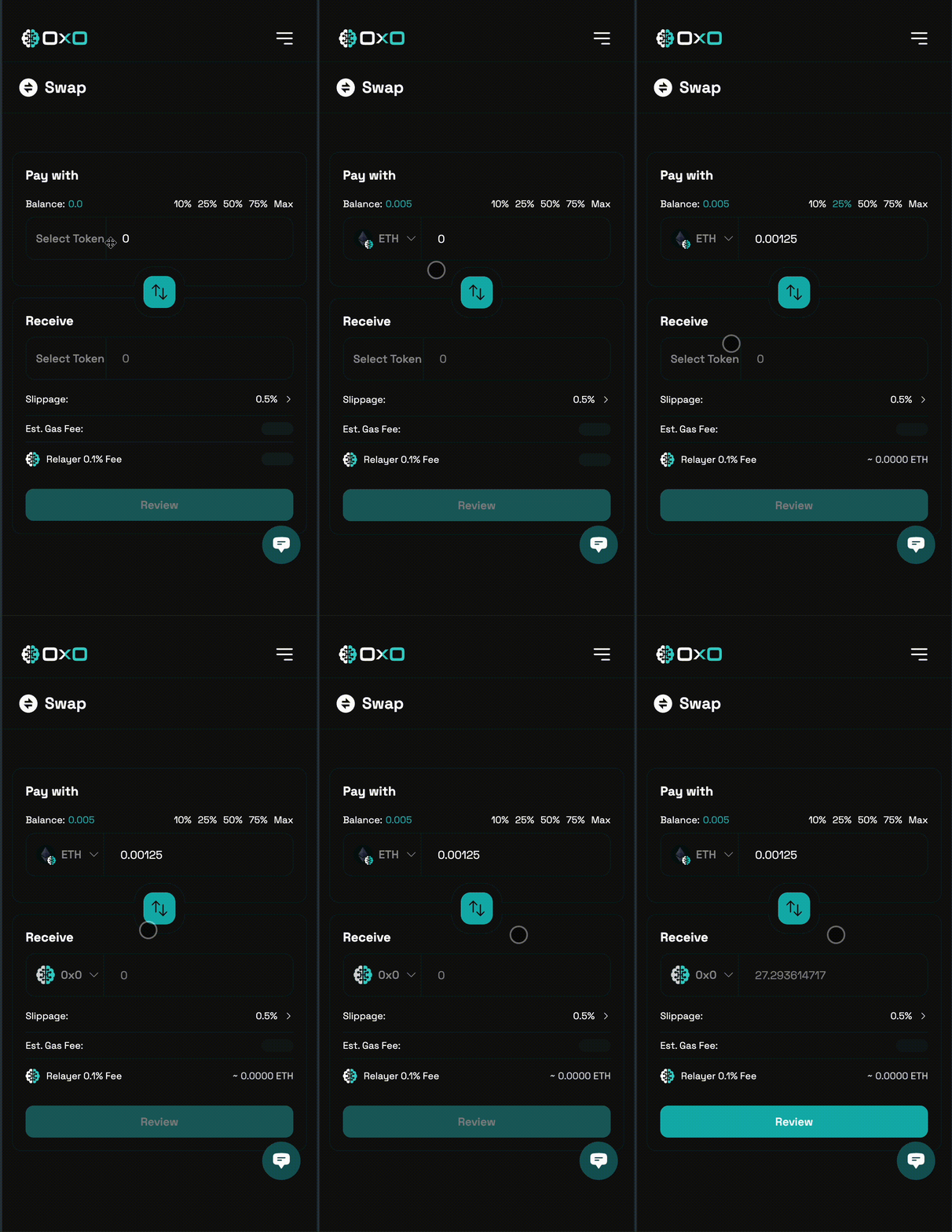
3. Select the assets you want to swap from and to, then enter the amount you wish to swap. Be sure to review the estimated slippage and any associated fees before proceeding.
<Tabs>
  <Tab title="Desktop">
    <img className="block" src="https://mintcdn.com/0x0/tl6s_Iw1Jdhy2Jw7/images/arcane/swap/swap.gif?s=61e30189782c5931e214c3f72205f758" alt="Swap Assets Example" width="3020" height="1676" data-path="images/arcane/swap/swap.gif" />
  </Tab>

  <Tab title="Mobile">
    <img className="block max-h-[400px]" src="https://mintcdn.com/0x0/tl6s_Iw1Jdhy2Jw7/images/arcane/swap/swap-mobile.gif?s=f7a7408e206ebb1196039130f396ca60" alt="Swap Assets Example" width="794" height="1540" data-path="images/arcane/swap/swap-mobile.gif" />
  </Tab>
</Tabs>

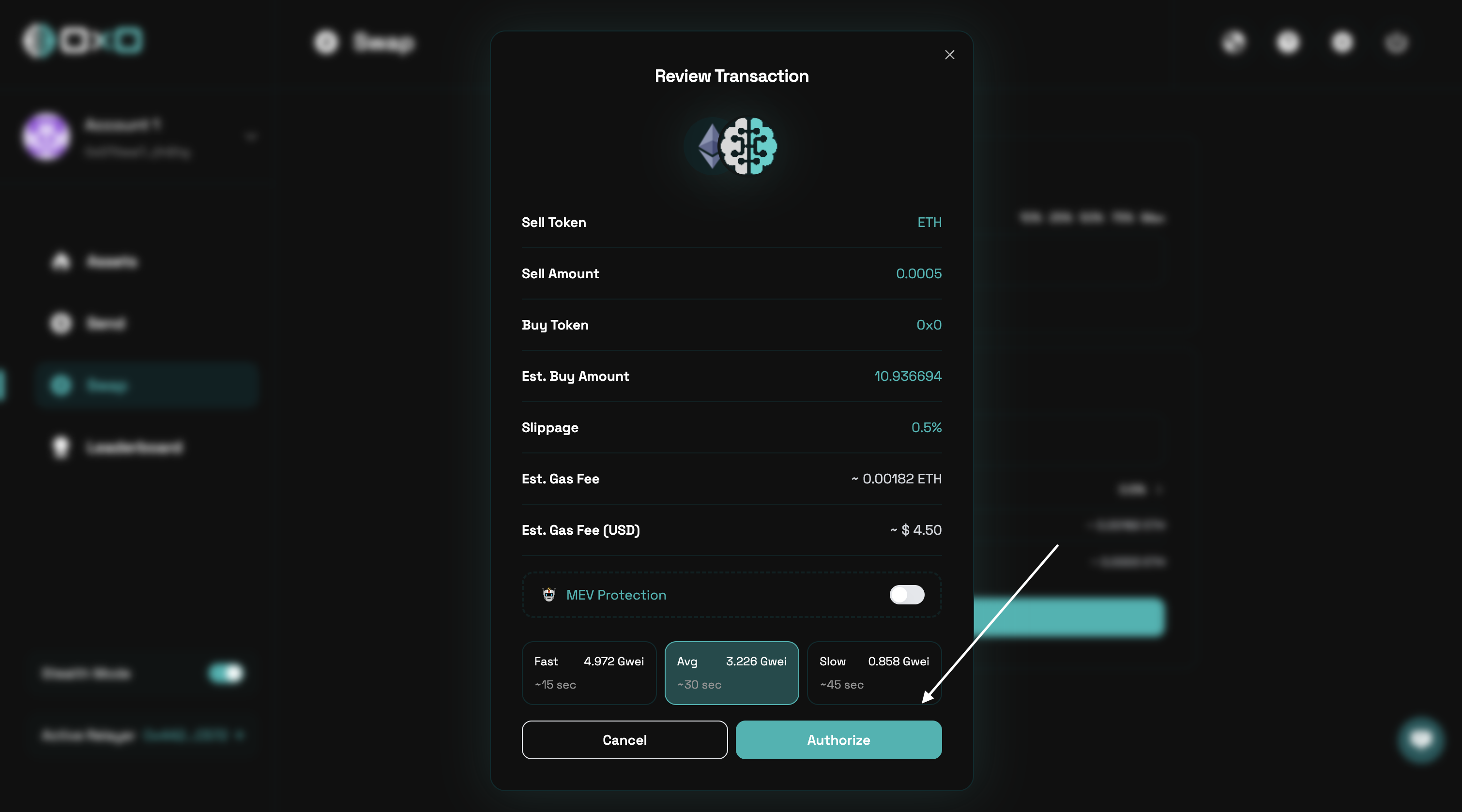
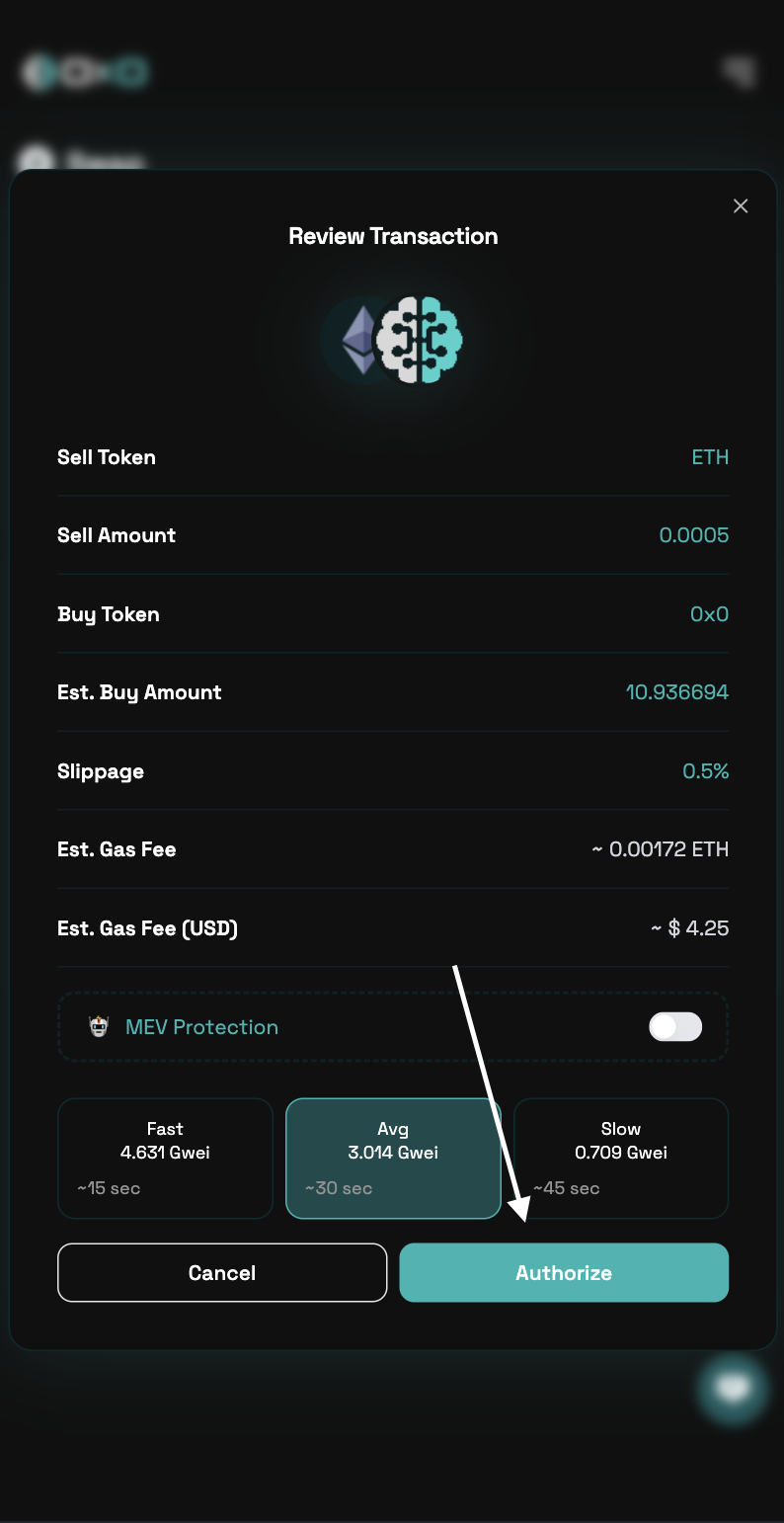
4. Carefully review the transaction details, including slippage and fees, then authorize the transaction to proceed.
<Tabs>
  <Tab title="Desktop">
    <img className="block" src="https://mintcdn.com/0x0/tl6s_Iw1Jdhy2Jw7/images/arcane/swap/authorize.png?fit=max&auto=format&n=tl6s_Iw1Jdhy2Jw7&q=85&s=9b9f7376049631d9d25ccc3de320cb97" alt="Swap Assets Example" width="3020" height="1678" data-path="images/arcane/swap/authorize.png" />
  </Tab>

  <Tab title="Mobile">
    <img className="block max-h-[400px]" src="https://mintcdn.com/0x0/tl6s_Iw1Jdhy2Jw7/images/arcane/swap/authorize-mobile.png?fit=max&auto=format&n=tl6s_Iw1Jdhy2Jw7&q=85&s=d3b0f987fbc4f92de7dcc323f2a93048" alt="Swap Assets Example" width="794" height="1542" data-path="images/arcane/swap/authorize-mobile.png" />
  </Tab>
</Tabs>